


Shopping Guide
Guide to online shopping from Ruby's website
1- Search for the product you want.
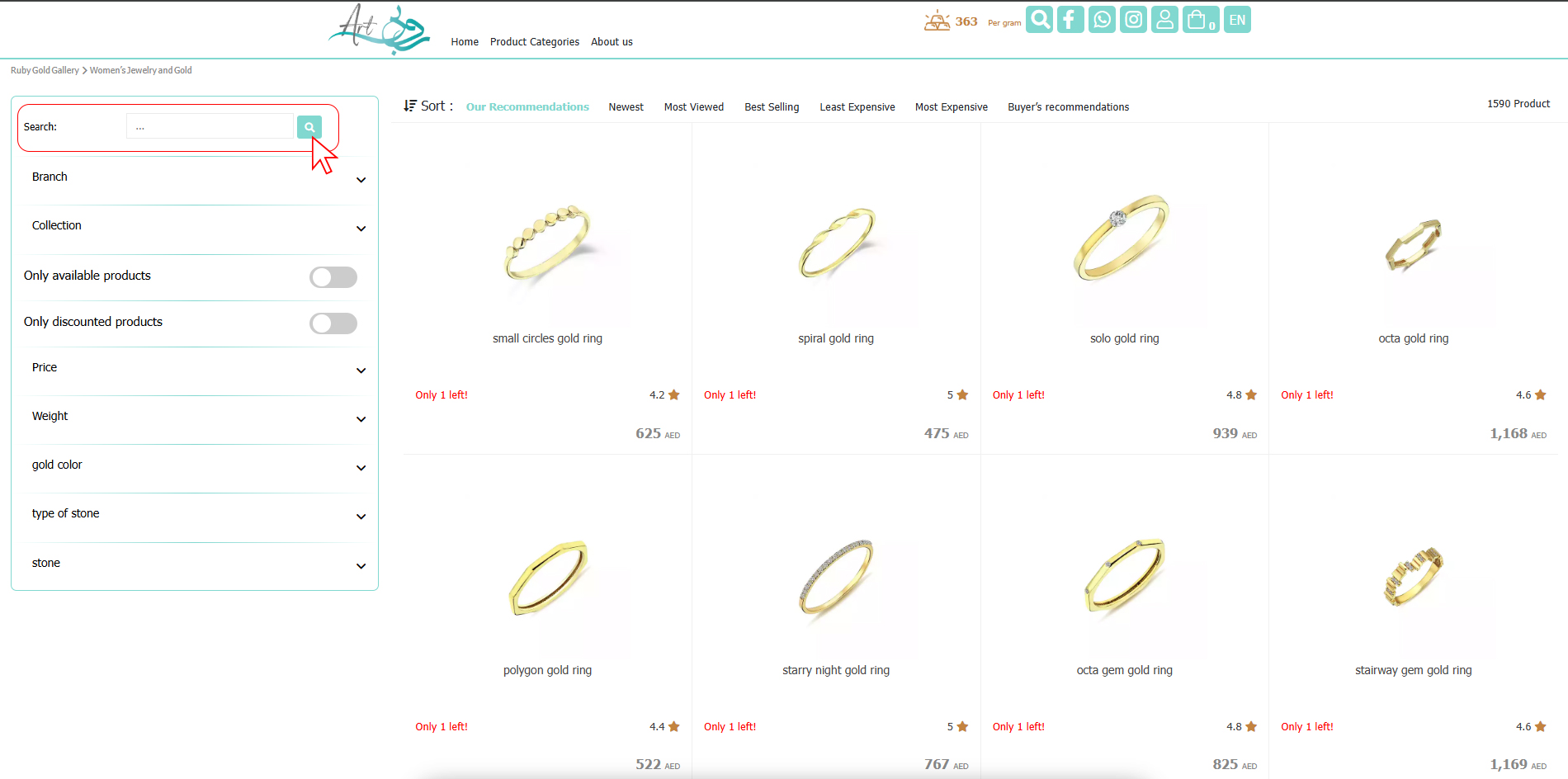
2- Once you find the product, select it.
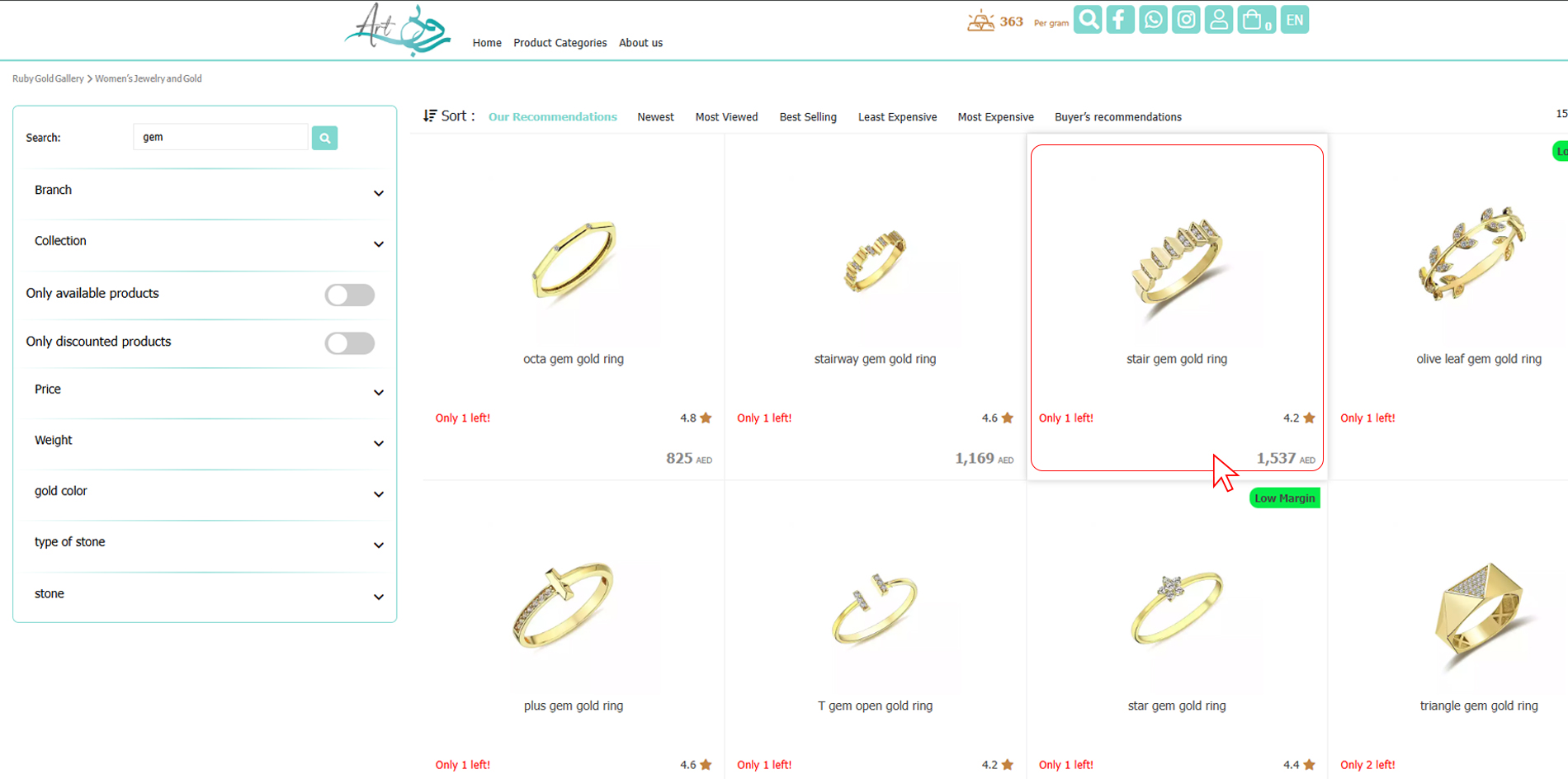
3- After confirming the specifications and price, select Add to shopping cart.
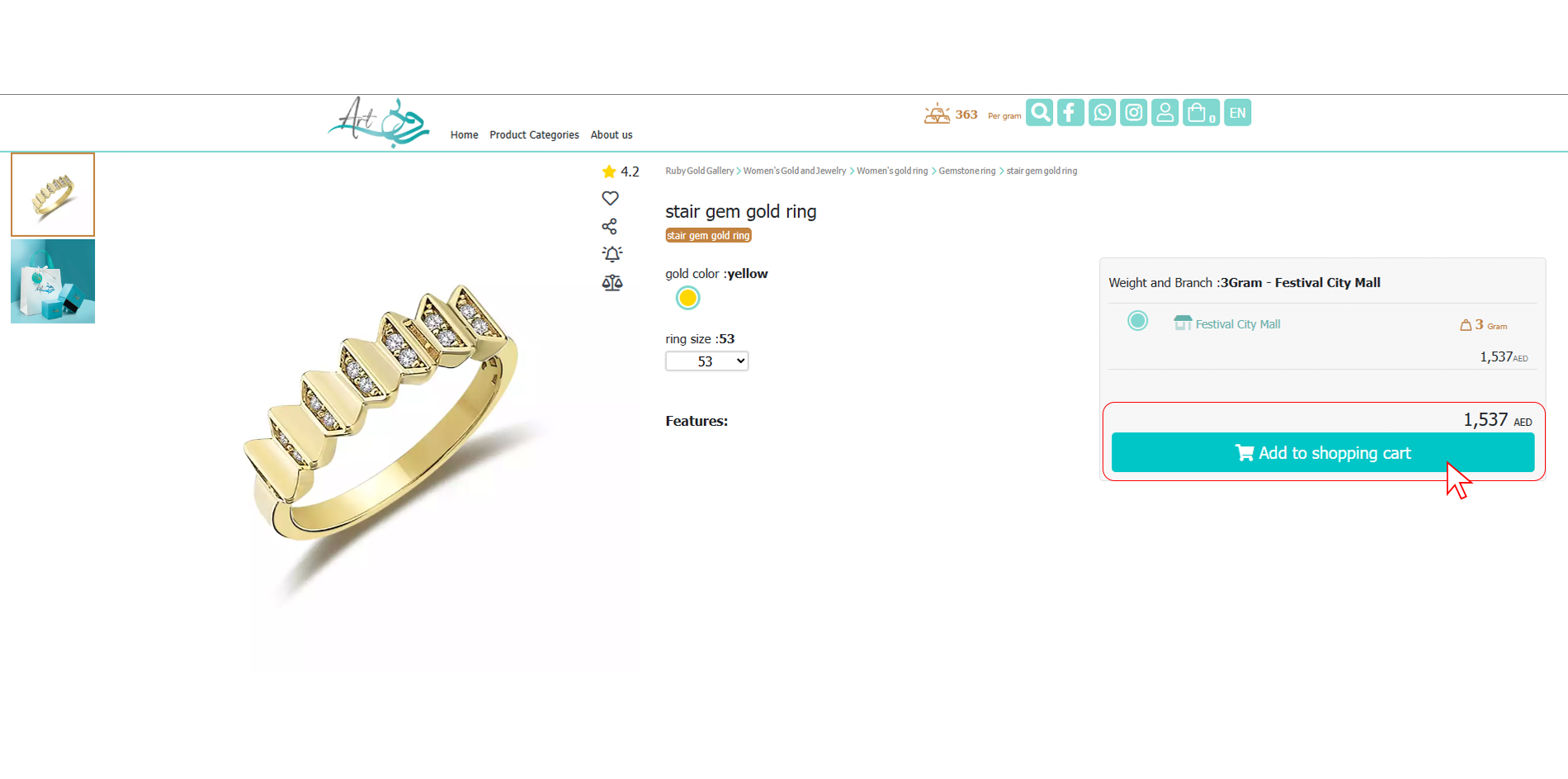
4- Check your shopping cart and then select Complete Purchase.
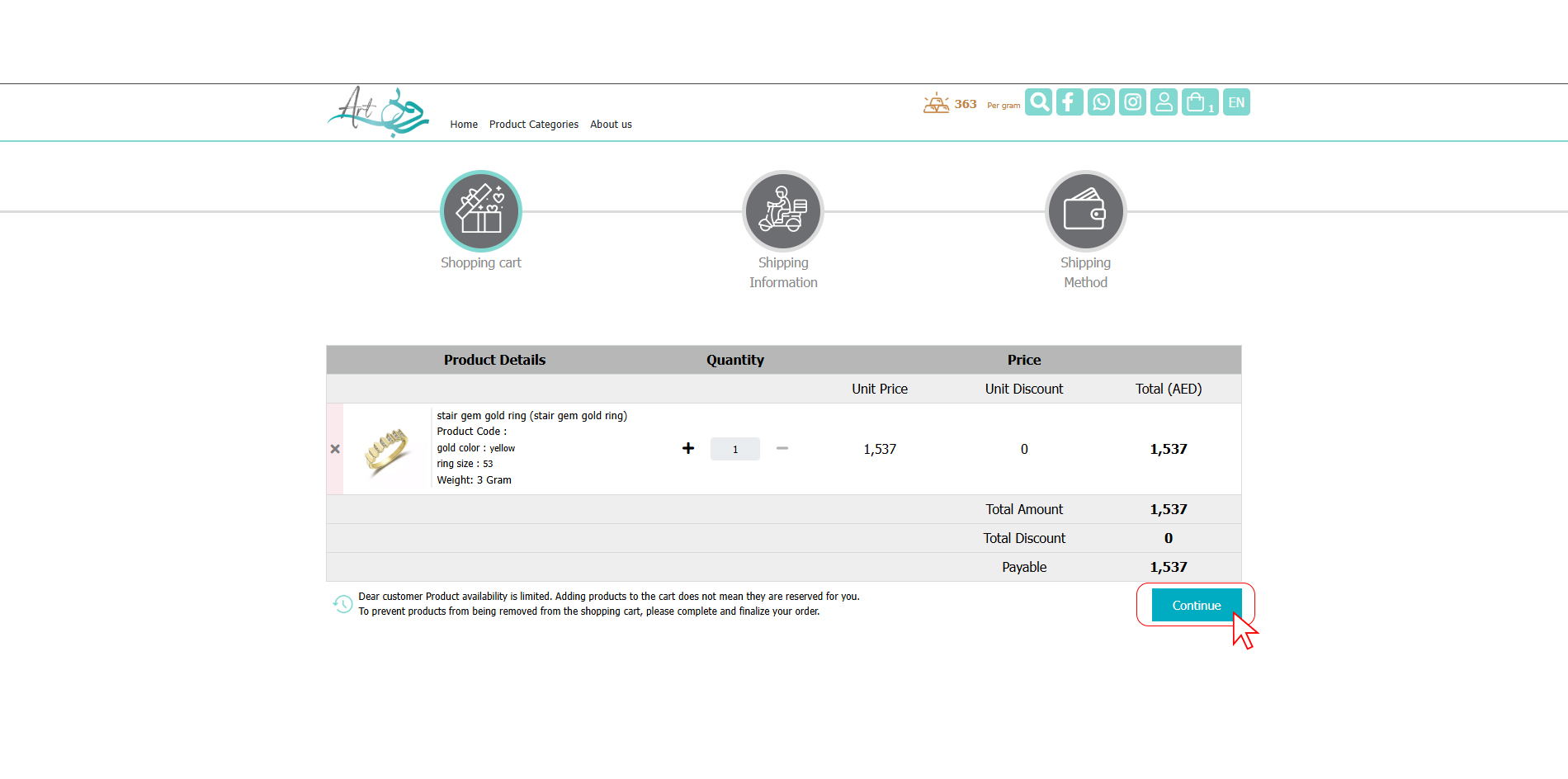
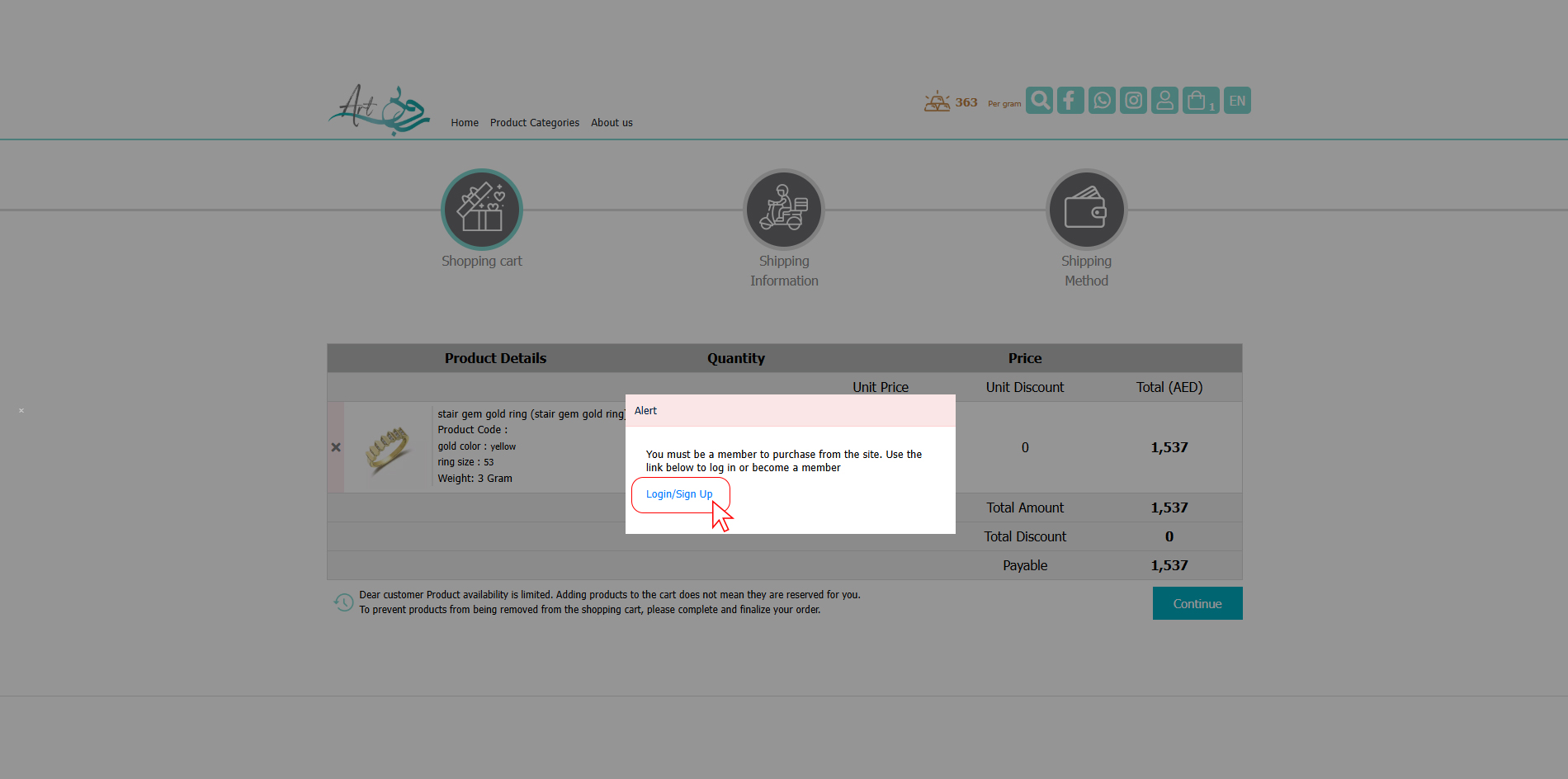
5- If you are not already a member of the website or have not logged into your account, you will see this message.
In either case, click on Login/Sign up.
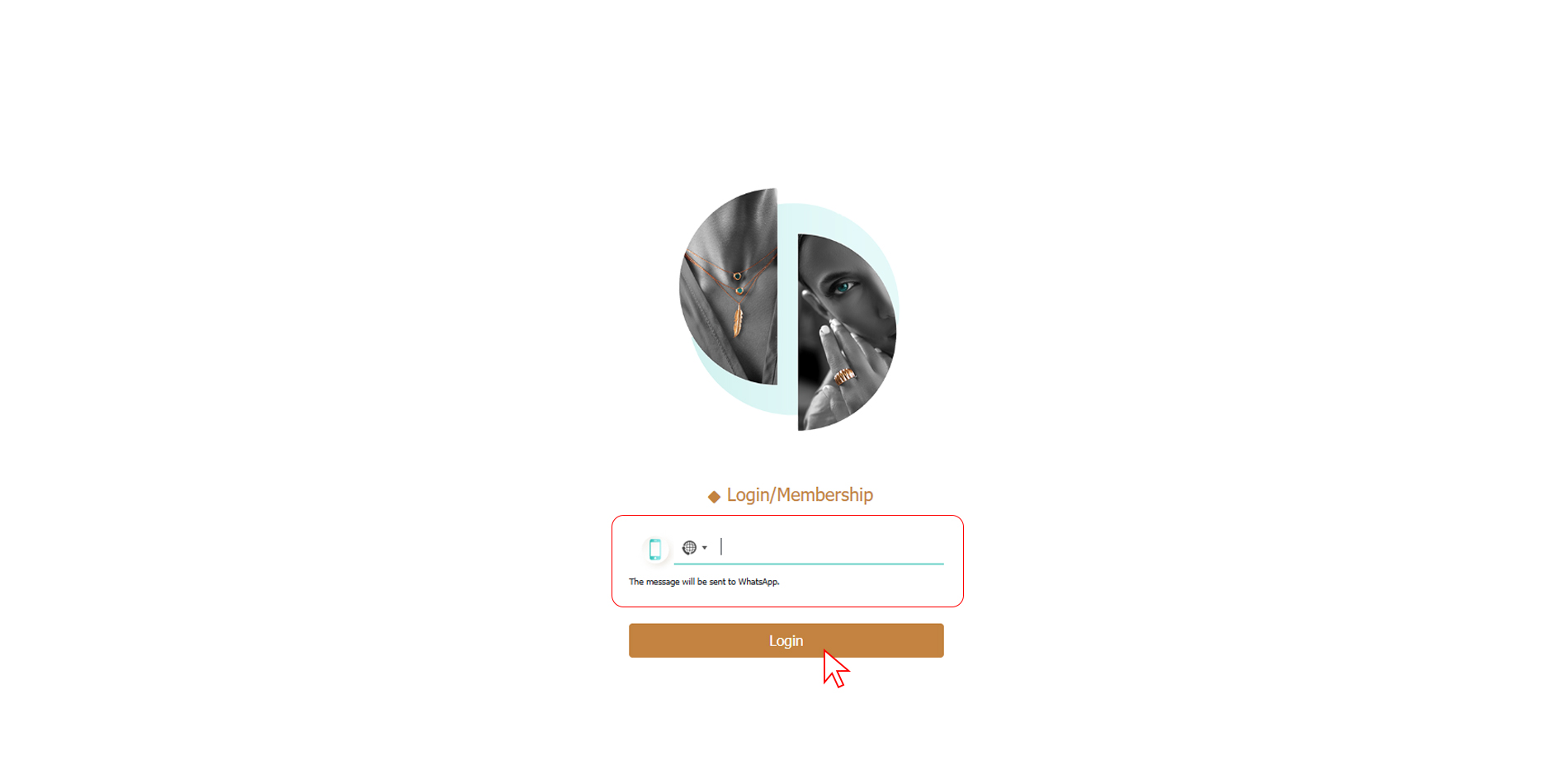
6-Enter your username and select Log in to Ruby Gallery.
If you are not already a member, sign up for the website on the left.
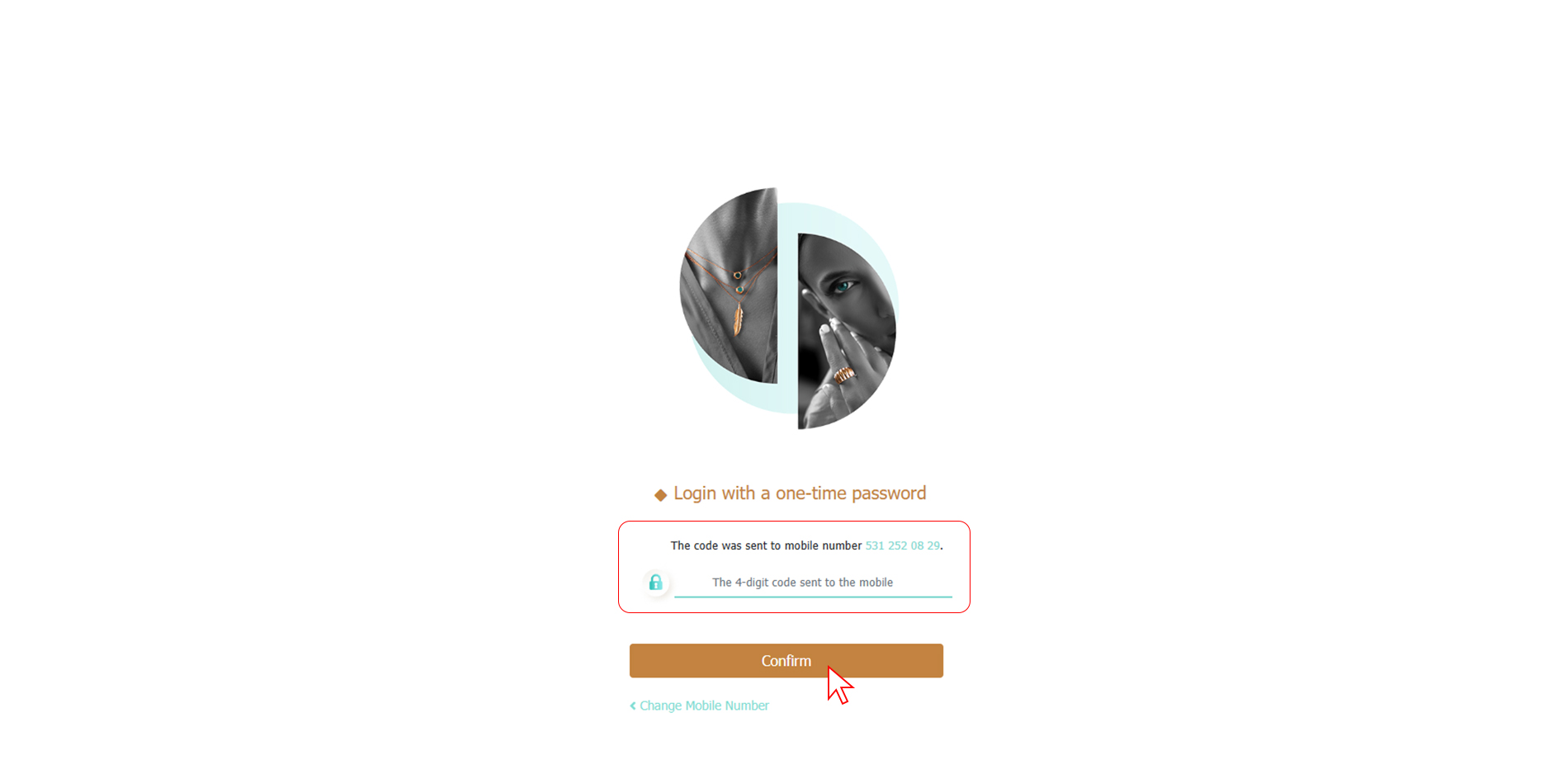
7-Enter one-time password shared through the whatsapp.
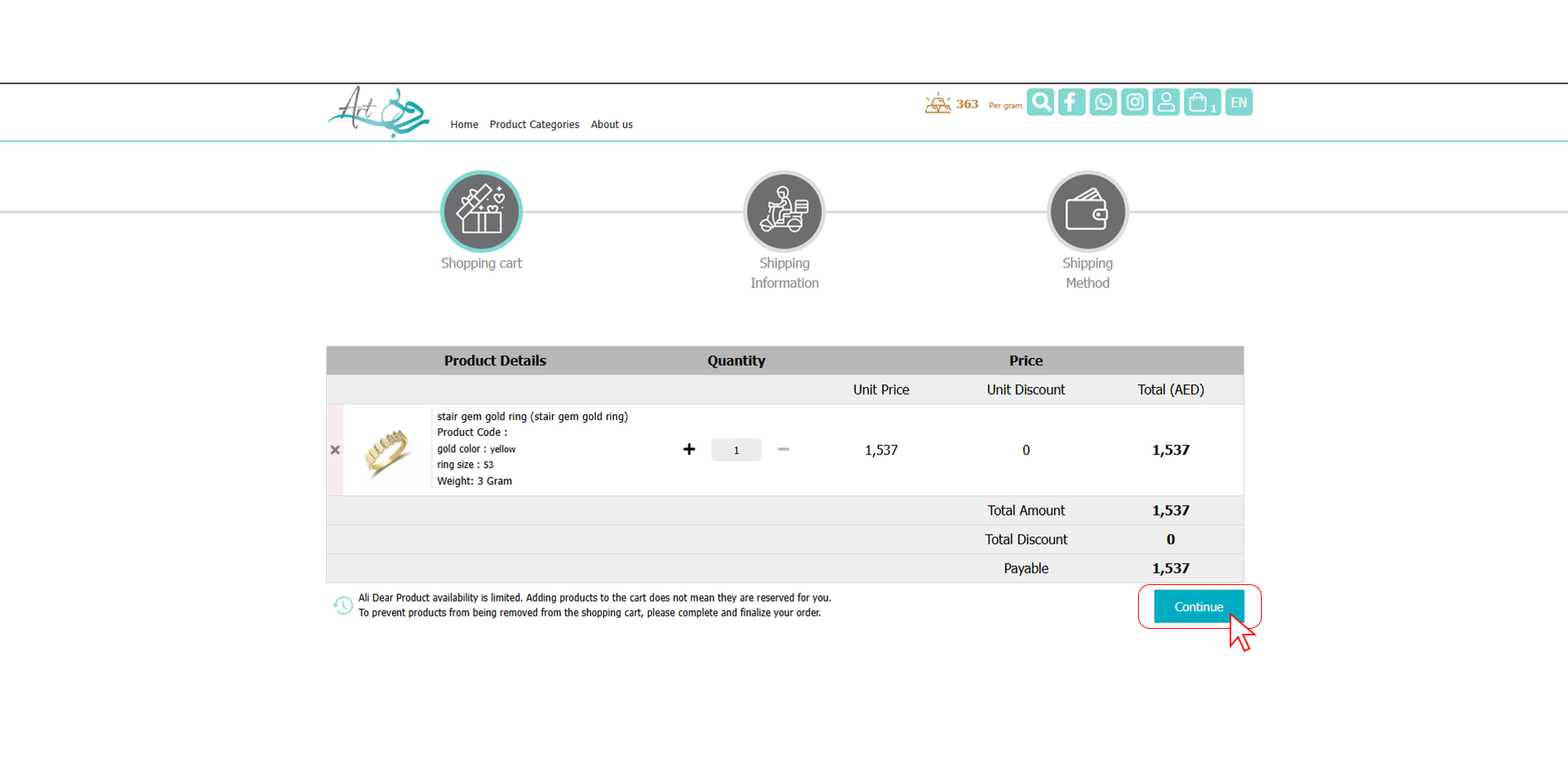
8- After logging in to your account, you will be taken to the shopping cart. Click Continue.
9-Select the address you want.
If you haven't already entered an address, click Add New Address.
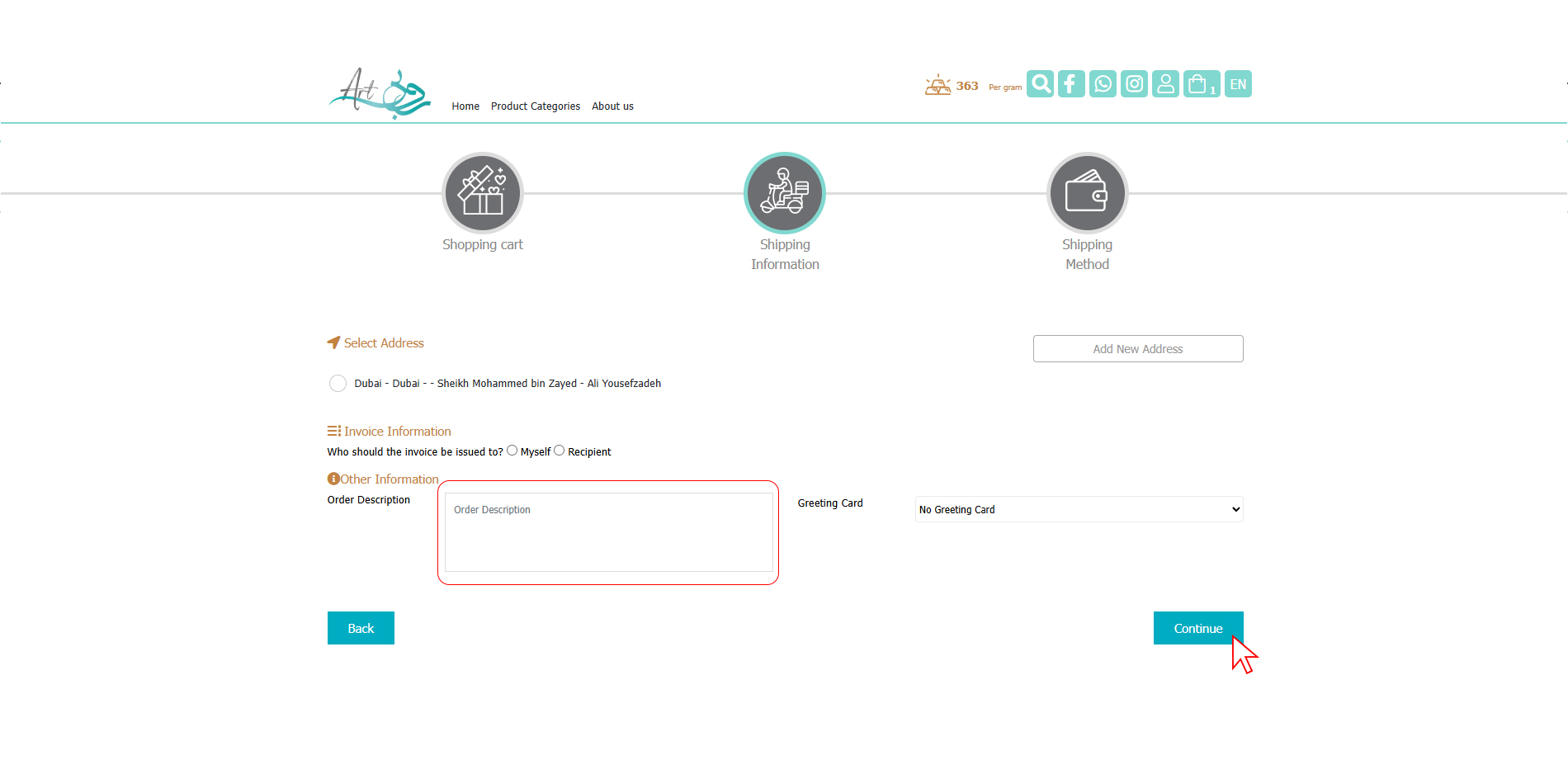
10-After completing the address details and selecting the delivery method, click Continue.
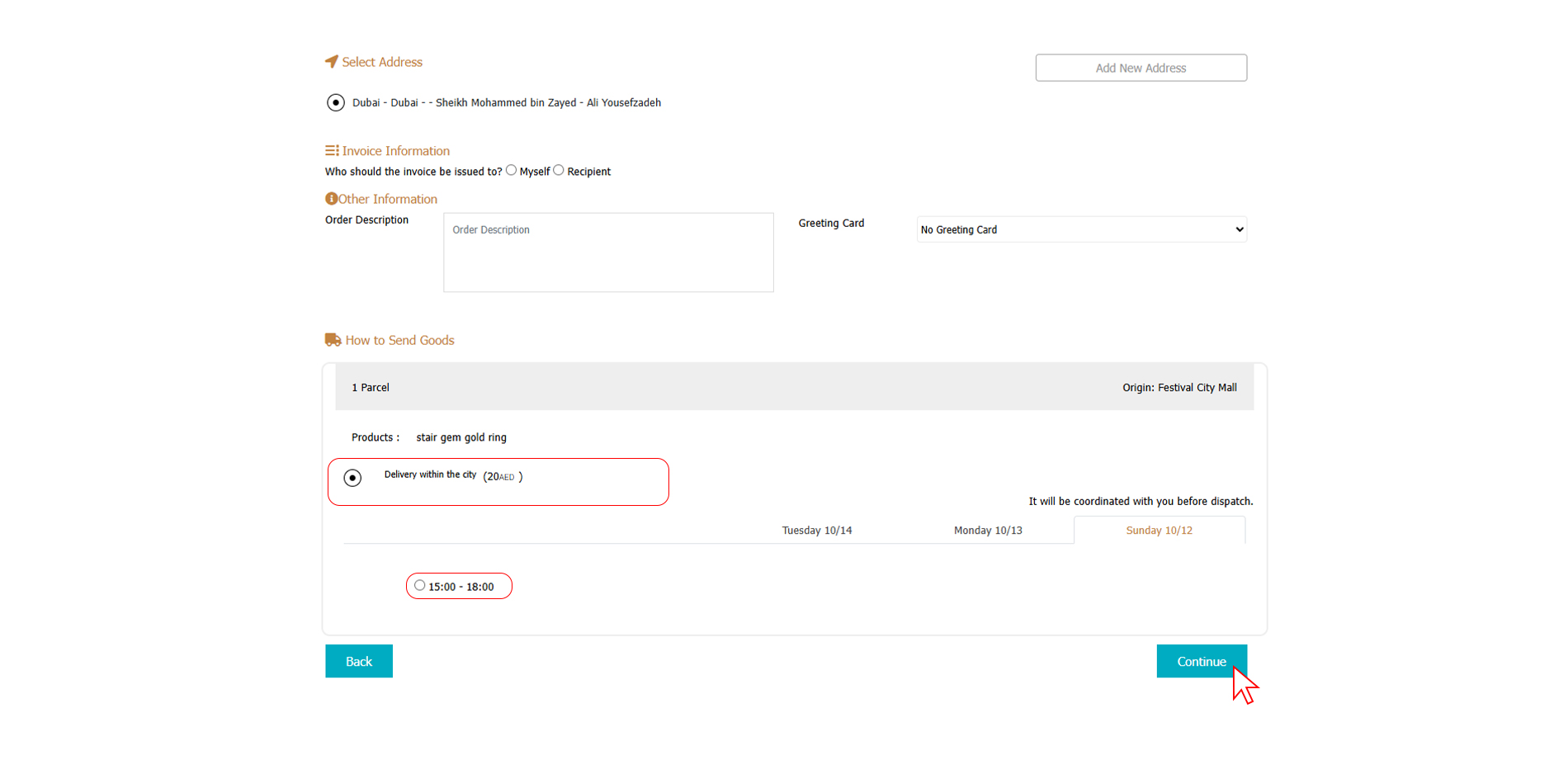
11- Review your shopping cart information and if you agree, click Continue.
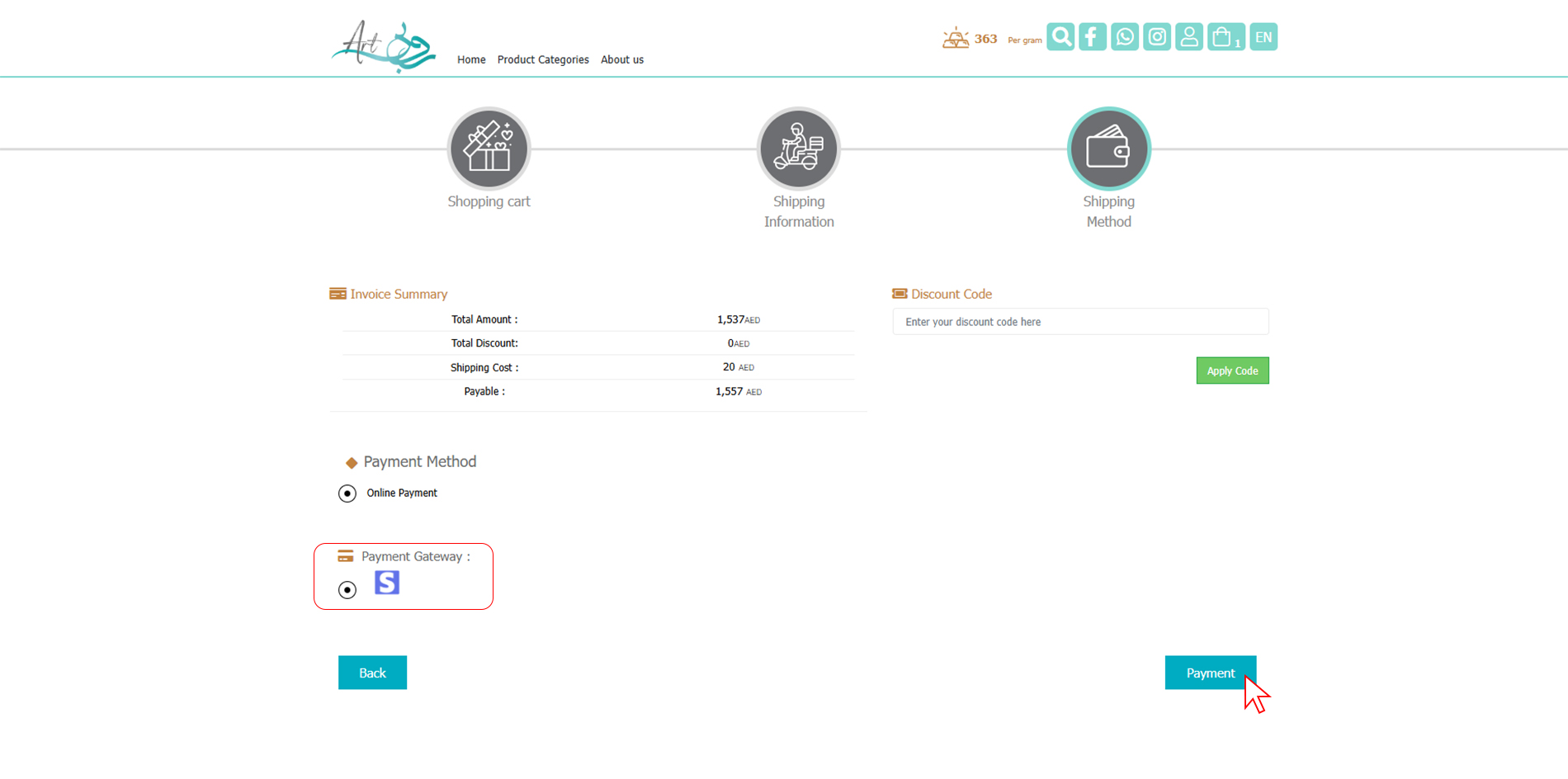
12- To complete your purchase and payment, after selecting the desired payment gateway, click Pay and enter your bank information in the final step.
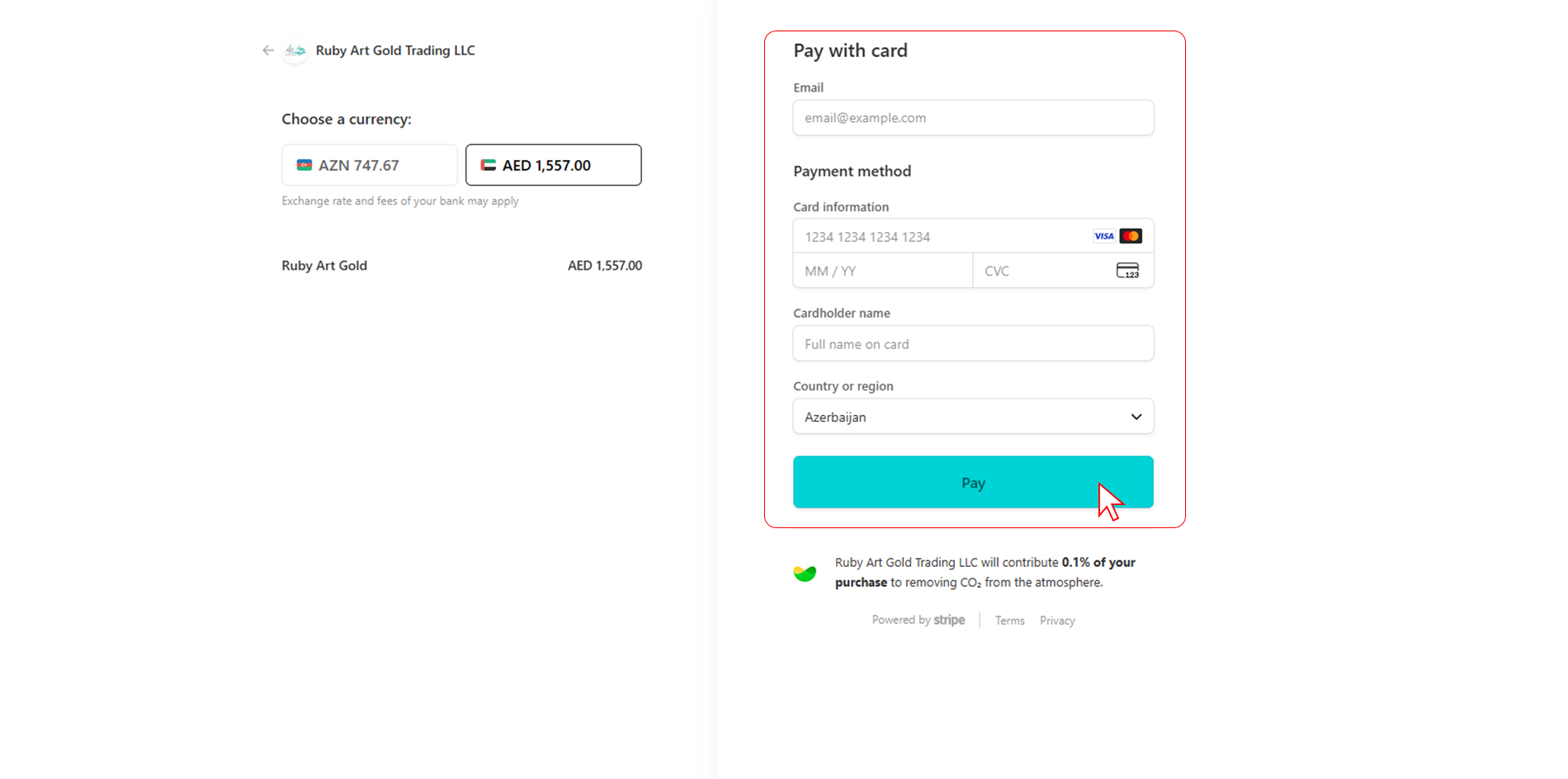
Thank you for your purchase.